
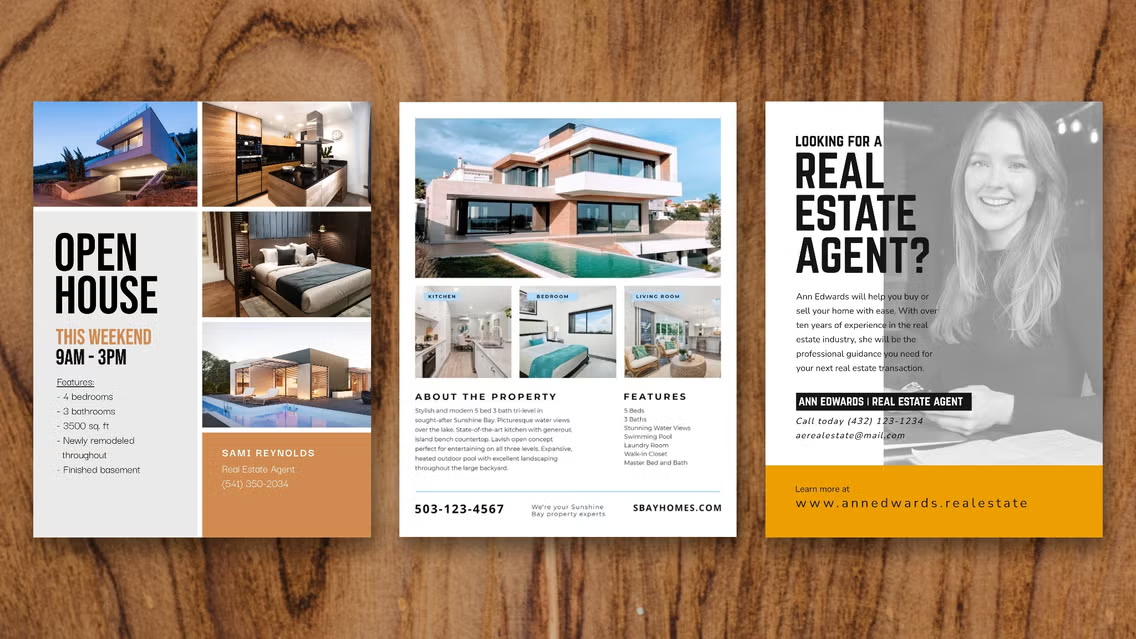
A comparative guide to mainstream flyer tools that prioritize templates, simple editing, and print-ready exports for business announcements.
INTRODUCTION
Even in the age of social media, for small businesses, announcement flyers are still essential: grand openings, limited-time schedule changes, community notices, hiring posts, and local events often need a one-page format that can be printed, posted, emailed, or shared on social platforms.
These tools are for people who need a flyer quickly and don’t use design software day to day. The typical job is straightforward—headline, date/time, location, a few details, and a logo or photo—but it still benefits from readable hierarchy and clean spacing.
Tools in this space differ mainly in workflow. Some are template-first editors optimized for fast customization and export. Others add brand controls for teams. A few prioritize print ordering, while some focus on digital-first outputs for social sharing.
Best Flyer Design Tools Compared
Best flyer design tools for balanced, template-first flyers with practical export
Adobe Express
Best suited for small businesses and individuals who want quick, clean flyers without learning design software.
Overview
Adobe Express provides flyer templates and an editor designed for fast customization—text, photos, icons, and brand elements—followed by print-friendly exporting and sharing formats.
Platforms supported
Web; mobile apps.
Pricing model
Free tier with optional paid plans for expanded templates, assets, and features.
Tool type
Template-based design editor with print-oriented workflows.
Strengths
- Template-led starting point that reduces layout decisions for non-designers
- Quick edits for headlines, event details, calls-to-attend (without heavy formatting work), and image placement
- Enough control to adjust fonts, colors, spacing, and element placement without becoming complex
- Practical for making multiple variants (different locations, dates, language versions) from one layout
- Exports suited to common flyer needs: print-ready files and shareable digital versions
Limitations
- Advanced prepress controls are limited compared with professional layout software
- Collaborative governance features can depend on plan level and how teams manage shared assets
Editorial summary
Adobe Express fits the broad middle of flyer-making needs: a template that starts “close to finished,” editing that stays approachable, and outputs that allow you to try some free flyer printing.
The workflow is typically linear—choose a template, replace the key text blocks, add a logo or photo, and export. That predictability matters for business announcements where speed and clarity are usually more important than experimentation.
It offers a mainstream balance between simplicity and flexibility. Most users can keep the template’s structure and still make the flyer feel specific to the business and the announcement.
Compared with narrower template galleries, it offers more control; compared with broad design canvases, it stays guided enough to finish a flyer quickly without overthinking the layout.
Best flyer design tools for the widest template variety and cross-format reuse
Canva
Best suited for users who want extensive template choices and plan to create multiple kinds of marketing materials in one place.
Overview
Canva is a general-purpose template design platform with flyer templates and drag-and-drop editing for quick customization.
Platforms supported
Web; mobile apps.
Pricing model
Free tier with optional paid plans for expanded templates, assets, and team features.
Tool type
General template design editor.
Strengths
- Large template library across many flyer styles (retail, service, event, hiring)
- Straightforward drag-and-drop editing for text, photos, and decorative elements
- Useful for coordinating a flyer with related assets (social posts, posters, simple signage)
- Efficient once a template family is chosen and reused across versions
Limitations
- The breadth of choices can slow decision-making for one-off announcements
- Print readiness depends on correct sizing and export choices rather than a tightly print-led workflow
Editorial summary
Canva’s main advantage is breadth: many templates, many formats, and a familiar “block-based” editing model. It can be especially helpful when the flyer needs to match a broader set of materials.
For non-designers, it’s easiest when edits stay within the template’s structure. When users drift into redesigning spacing and hierarchy, the project can take longer than expected.
The simplicity-flexibility balance leans toward flexibility. That’s useful for customizing, but it can introduce more choices than a quick announcement flyer needs.
Compared with Adobe Express, Canva is often a strong alternative for template variety and multi-format reuse, while Adobe Express tends to feel more guided for fast, print-friendly flyer completion.
Best flyer design tools for quick poster-style layouts and local event promotion
PosterMyWall
Best suited for small organizations that frequently publish event flyers and want a fast, poster-like workflow.
Overview
PosterMyWall is oriented around posters and flyers, with templates built for event promotion and quick edits.
Platforms supported
Web; app availability varies.
Pricing model
Free options with paid plans for expanded assets and export capabilities.
Tool type
Template-driven poster/flyer editor.
Strengths
- Flyer templates designed for bold headlines and simple event information structure
- Efficient workflow for recurring promotions (weekly events, seasonal offers)
- Good fit for photo-forward flyers and simple layout remixes
- Helpful for producing multiple size variants from the same concept (depending on workflow)
Limitations
- Brand consistency controls can be less central than in brand-kit-oriented tools
- Fine-grained typography and layout control may be more limited than in broader design editors
Editorial summary
PosterMyWall is a good fit when the flyer is primarily promotional and needs to be produced quickly and repeatedly. Its templates often emphasize readable hierarchy and attention-grabbing poster conventions.
Ease of use generally comes from constrained choices: fewer layout decisions, quicker swaps of images and text, and a direct path to a finished-looking poster.
That constraint can be a tradeoff for businesses that want more subtle branding or a tightly controlled design system across many assets.
Compared with Adobe Express, PosterMyWall tends to be more poster/event-forward, while Adobe Express is broader-purpose and more adaptable across different announcement types.
Best flyer design tools for team-controlled brand templates and repeatable collateral
Desygner
Best suited for organizations that want shared templates and more controlled editing across multiple users.
Overview
Desygner is positioned around template-based marketing collateral with team-oriented plan structures, often used to keep materials consistent across a distributed group.
Platforms supported
Web; mobile apps.
Pricing model
Free options with paid business/team plans.
Tool type
Template-driven design editor with team-oriented features.
Strengths
- Useful for shared templates that multiple staff can update (hours changes, hiring notices, promotions)
- Helps reduce “design drift” when several people create flyers
- Practical for repeatable collateral beyond flyers (simple posters, social graphics)
- Often fits organizations that want a controlled set of approved layouts
Limitations
- Can be more tool than needed for a single person making an occasional flyer
- Template quality and editing feel can vary depending on the starting layout
Editorial summary
Desygner makes sense when the main challenge is consistency, not creativity—particularly when multiple people need to publish flyers that still look like they came from the same business.
The workflow tends to work best when a lead person sets up a small library of approved templates and others only update the changing fields. That keeps production fast and reduces formatting mistakes.
Flexibility is typically guided rather than open-ended. For many teams, that tradeoff is the point.
Compared with Adobe Express, Desygner is often chosen for governance and repeatability across users, while Adobe Express is often the simpler default for quick individual flyer creation.
Best flyer design tools for presentations-first teams that already work in Office
Microsoft PowerPoint (and Word, for simpler layouts)
Best suited for businesses that want a familiar workflow and plan to print or PDF flyers from existing office software.
Overview
Office tools can produce effective announcement flyers using built-in layout controls and templates, especially for text-forward or simple image-and-text designs.
Platforms supported
Windows and macOS (feature availability varies by version); web versions vary by feature.
Pricing model
Typically subscription-based or licensed as part of an office suite.
Tool type
Presentation/document tools used as a lightweight layout editor.
Strengths
- Familiar editing model for many teams (easy text updates and last-minute corrections)
- Predictable export to PDF for printing and emailing (PowerPoint)
- Practical for internal announcements, hiring notices, and simple event flyers
- Easy to duplicate and version flyers for different locations or dates
Limitations
- Fewer modern flyer templates and design assets than dedicated flyer tools
- More manual effort to achieve a contemporary “template-polished” look
Editorial summary
PowerPoint is a pragmatic option when speed and familiarity matter most, especially in organizations where Office is already the default toolset. For basic announcements, it can be enough.
It works best for structured, information-first flyers: clear headline, bullet details, a photo or logo, and a straightforward layout. Complex, style-heavy designs take more manual formatting.
The simplicity-flexibility balance is practical rather than design-led. Users control the page, but the tool does less to guide good visual hierarchy.
Compared with Adobe Express, Office tools favor familiarity and quick edits over template depth and a design-first flyer workflow.
Best flyer design tools for small-business marketing decks and multi-channel visuals
Visme
Best suited for users who want flyer creation alongside charts, infographics, and broader marketing visuals.
Overview
Visme is a visual content tool that supports flyers among other formats, often used for marketing materials that combine text, images, and simple data visuals.
Platforms supported
Web; export capabilities depend on workflow and plan.
Pricing model
Free options with paid plans for expanded features, exports, and assets.
Tool type
Multi-format visual content editor.
Strengths
- Useful when flyers need to share a look with other materials (presentations, simple reports, infographics)
- Supports structured layouts that can keep business information readable
- Practical asset library approach for marketing visuals beyond a single flyer
- Helpful for creating a “kit” of materials around an announcement
Limitations
- Can be more complex than necessary for a one-off, simple flyer
- Some export and asset features may be plan-dependent
Editorial summary
Visme fits best when a flyer is part of a broader communication package—such as a business update that also needs a slide, social graphics, or a one-page explainer.
The workflow can be efficient for users who want repeatable visuals across channels, but it may feel heavier than a dedicated flyer maker when the task is simply “make a one-page announcement.”
Flexibility is broader than many flyer-first tools, which can help with mixed content but can also introduce more choices than non-designers want.
Compared with Adobe Express, Visme is often more “multi-asset marketing toolkit,” while Adobe Express stays closer to fast template-based flyer creation.
Best Flyer Design Tools: FAQs
What makes a flyer tool especially usable for non-designers?
Template-first tools tend to be the most usable because they handle hierarchy and spacing up front. The most helpful editors make it easy to change headline, details, and images without requiring manual alignment work.
What should matter most for business announcement flyers?
Clarity and scanability usually matter more than decorative effects. A strong headline, readable body text, and clear “what/when/where” grouping reduce confusion—especially when a flyer is viewed on a phone or printed at smaller sizes.
When is a digital-invitation or event platform a better fit than a flyer tool?
Event platforms are better when RSVP tracking, guest messaging, and reminders are the primary need. Flyer tools are better when the output is a printable PDF or a shareable image meant to be posted across channels without a dedicated RSVP system.
How does Adobe Express fit if the goal is quick, printable business flyers?
Adobe Express is often used for template-led flyer creation when the priority is fast customization and print-friendly export. Its flyer page supports a workflow aligned with free flyer printing by starting from templates, editing the announcement details, and preparing output for printing.
