
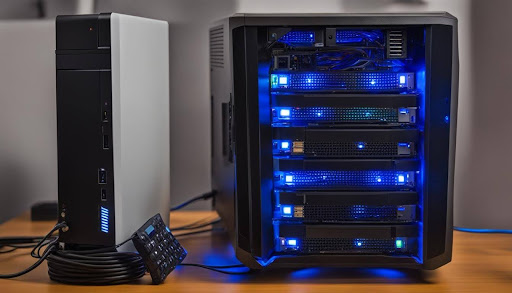
The gentle hum of a NAS server can quickly transform into an unwelcome disruption in your home environment. For tech enthusiasts who rely on Network Attached Storage for media streaming, data backups, and file sharing, the constant drone of drives and cooling fans can significantly impact your living space’s comfort. Whether it’s the whirring of mechanical drives during late-night backups or the persistent fan noise during peak usage, these sounds can become particularly noticeable in quiet rooms or home NAS offices. The good news is that achieving near-silent NAS operation isn’t just a dream – it’s an achievable goal through careful hardware selection and strategic optimization. This guide explores practical solutions to minimize NAS noise, from choosing the right components to implementing effective sound-dampening techniques, ensuring your data storage solution operates as quietly as it does efficiently.
Understanding NAS Noise Sources
The noise generated by NAS systems primarily stems from two main sources: mechanical hard drive operations and cooling system components. Hard disk drives produce vibrations during their normal operation as platters spin and read/write heads move, with these vibrations often amplified by metal drive bays and chassis construction. Standard 7200 RPM drives typically generate more noise than their 5400 RPM counterparts, though at the cost of reduced performance. The cooling system, particularly cooling fans, represents the second major noise source. While essential for maintaining optimal operating temperatures, fans create constant airflow noise that varies with speed and load. The NAS chassis design itself can either minimize or amplify these sounds – budget enclosures often lack proper sound-dampening materials and may have resonance issues that intensify operational noise. Additionally, the relationship between cooling and noise presents a challenging balance – aggressive cooling keeps components healthy but increases acoustic output, while reduced cooling for quieter operation risks system stability. Understanding these noise sources is crucial for implementing effective solutions that don’t compromise system reliability.
Evaluating Used NAS Options: Pros and Cons
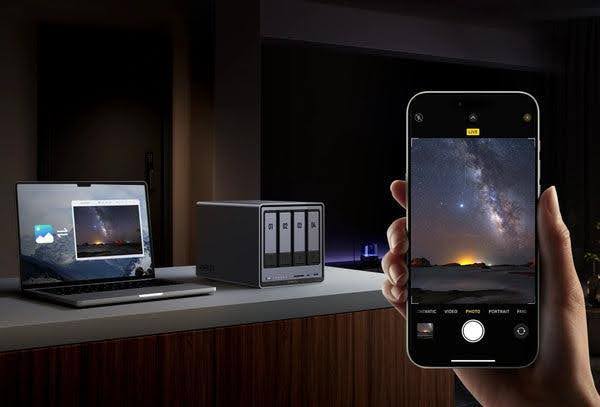
Purchasing pre-owned enterprise-grade NAS equipment presents an attractive option for budget-conscious users seeking robust storage solutions. Enterprise systems often feature superior build quality and noise-reduction features compared to entry-level devices, potentially offering better value despite being second-hand. These units typically incorporate advanced cooling designs and higher-quality components that can operate more quietly even after years of service. However, used equipment carries inherent risks that require careful consideration. Aging hardware components, particularly cooling fans and hard drive mechanisms, may develop increased noise levels due to worn bearings or degraded lubricants. Before investing in used NAS equipment, conduct a thorough inspection focusing on several key areas: verify the operational status of all cooling fans, checking for unusual bearing noise or vibration; test drive bays for proper alignment and dampening; examine power supply units for quiet operation and stability; and assess the overall chassis integrity, including all rubber grommets and acoustic padding. Request operational history and maintenance records when possible, paying special attention to the unit’s environmental conditions in its previous deployment. Additionally, factor in the cost of potential component replacements, such as fans or power supplies, which might be necessary to achieve optimal noise levels.
Choosing Quiet Hardware Components
Silent-Optimized 4-Bay NAS Models
Modern NAS enclosures from manufacturers like UGREEN and other leading brands incorporate sophisticated noise-reduction features. Look for models with metal-reinforced chassis designs and pre-installed sound-dampening materials. Units featuring tool-less drive installation typically offer better vibration control through rubber-mounted drive bays. The best performers maintain noise levels below 20 decibels during normal operation.
Low-Noise Drive Selection Guide
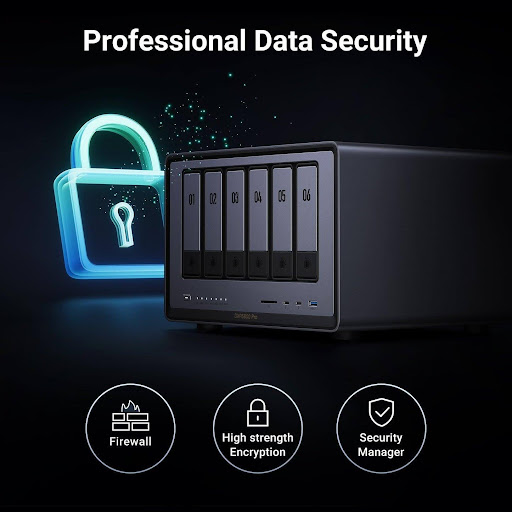
Storage drives significantly impact overall system noise. NAS-optimized drives like Western Digital Red or Seagate IronWolf series at 5400 RPM provide an excellent balance between performance and acoustics. These drives incorporate advanced firmware that manages head parking and seek operations to minimize noise. For ultimate silence, consider 2.5-inch drives or SSDs for frequently accessed data, using larger capacity HDDs for cold storage only.
Fan Replacement Strategies
Stock cooling fans often prioritize airflow over acoustic performance. Aftermarket options like Noctua’s NF-A series fans deliver superior noise characteristics while maintaining adequate cooling. When selecting replacement fans, match or slightly exceed the original fan’s static pressure rating to ensure proper airflow. Consider hydraulic bearing fans for their longevity and near-silent operation. Installation should include anti-vibration mounts and careful attention to proper fan orientation for optimal airflow patterns.
Step-by-Step Noise Reduction Techniques
Physical Modifications
Installing noise reduction materials begins with the strategic placement of acoustic padding inside the NAS chassis. Focus on lining non-ventilated panels with sound-absorbing foam, ensuring airflow paths remain unobstructed. Replace standard drive mounting screws with rubber grommets or silicone mounts to isolate vibration transfer from drives to the chassis. For maximum effectiveness, install anti-vibration strips between metal-to-metal contact points, particularly where drive cages meet the enclosure frame.
Optimal Placement Principles
The physical location of your NAS significantly impacts perceived noise levels. Position the unit at least 12 inches away from walls to prevent sound reflection and echo. Place the NAS on dense, solid surfaces that absorb vibrations rather than amplify them – wooden furniture or rubber mats work well. Avoid glass or thin metal shelving that can resonate with operational vibrations.
Fan Control Optimization
Most modern NAS systems offer customizable fan control through their management interface. Create a custom fan curve that maintains lower speeds during light loads, increasing gradually only when temperatures demand it. Monitor CPU and drive temperatures while testing different fan profiles, ensuring they never exceed manufacturer specifications. A good starting point is setting fans to 40% speed below 40°C, with gradual increases up to 100% at 60°C.
Firmware and Settings Tweaks
Configure drive power management settings to enable spin-down during periods of inactivity. Set reasonable idle times – 20-30 minutes works well for most home setups. Enable S.M.A.R.T. monitoring but reduce polling frequency to minimize unnecessary drive activity. For systems supporting it, enable advanced power management (APM) settings on compatible drives, targeting levels 192-224 for optimal noise reduction while maintaining reliability.
Troubleshooting Persistent NAS Performance Issues
Unusual noises from your NAS often signal potential hardware problems that require immediate attention. High-pitched whining or clicking sounds from hard drives typically indicate imminent failure – back up data immediately and replace affected drives. Grinding or scraping sounds from fans suggest bearing failure, requiring prompt replacement to prevent thermal damage. Buzzing or resonant vibrations that develop over time may indicate loosened components or degraded dampening materials. When noise issues persist despite implementing recommended solutions, or if they’re accompanied by performance degradation, system instability, or unusual temperature spikes, professional servicing becomes necessary. Certified technicians can perform detailed diagnostics, identify failing components beyond user-serviceable parts, and ensure proper system restoration without risking data loss. Consider professional intervention if you notice multiple drive errors, system crashes, or if the NAS becomes unresponsive during heavy loads.
Optimizing Your NAS for Silent Operation
Transforming your noisy NAS into a whisper-quiet storage solution requires a thoughtful combination of hardware selection, physical modifications, and system optimization. While achieving complete silence may seem challenging, the strategic implementation of noise reduction techniques can dramatically improve your home environment without sacrificing performance. The key lies in balancing acoustic comfort with reliable operation – from choosing the right components and implementing proper dampening measures to optimizing system settings for quieter operation. Remember that every NAS setup is unique, and you may need to experiment with different combinations of these solutions to find the perfect balance for your specific situation. With careful attention to the principles and techniques outlined in this guide, you can create a nearly silent NAS system that seamlessly integrates into your living space while maintaining the robust performance you need for reliable data storage and access.